
You don’t need to pay anything to launch your first sales funnel. In this tutorial I’ll show you the exact, beginner-friendly way to build a working lead-magnet funnel — an opt-in page and a thank-you page — completely free, with no credit card, using Systeme.io’s free plan. This is the same free funnel I built and tested hands-on for my Systeme.io review.
- What you build
- A lead-magnet funnel: an opt-in page + a thank-you page.
- Cost
- $0 — Systeme.io’s free-forever plan, no card required.
- Tool used
- Systeme.io (the free builder I tested hands-on).
- Time
- About 30–45 minutes for your first one.
What “a sales funnel” actually means (in plain words)
A funnel is just a short path of pages that turns a visitor into a subscriber or buyer. For a beginner, the simplest useful funnel is two pages:
- An opt-in page — offers something free (a checklist, guide, template) in exchange for an email address.
- A thank-you page — confirms the signup and delivers the freebie.
Master this two-page funnel first. Checkout pages, upsells and automations all build on the same foundation — and you can add them later without starting over.
Build your free funnel in 6 steps
Create a free Systeme.io account
Go to Systeme.io and sign up with your email. The free plan needs no credit card — you land in the dashboard right away. This is the only tool you need for the whole funnel.
Create a new funnel
From the dashboard open Funnels → Create, give it a name (e.g. “Lead Magnet Funnel”) and pick the goal Build an audience. Systeme.io automatically creates the opt-in and thank-you steps for you — you just edit them.
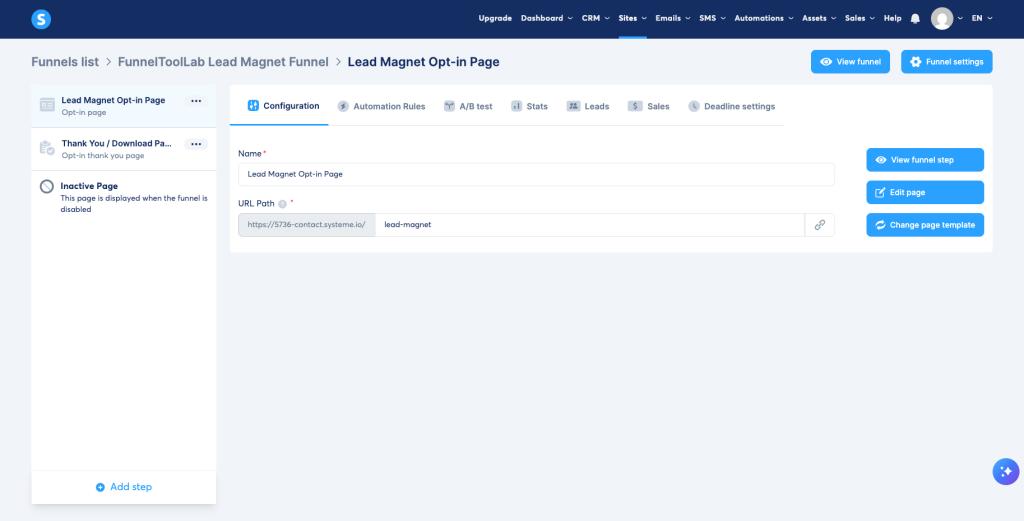
Build your opt-in page
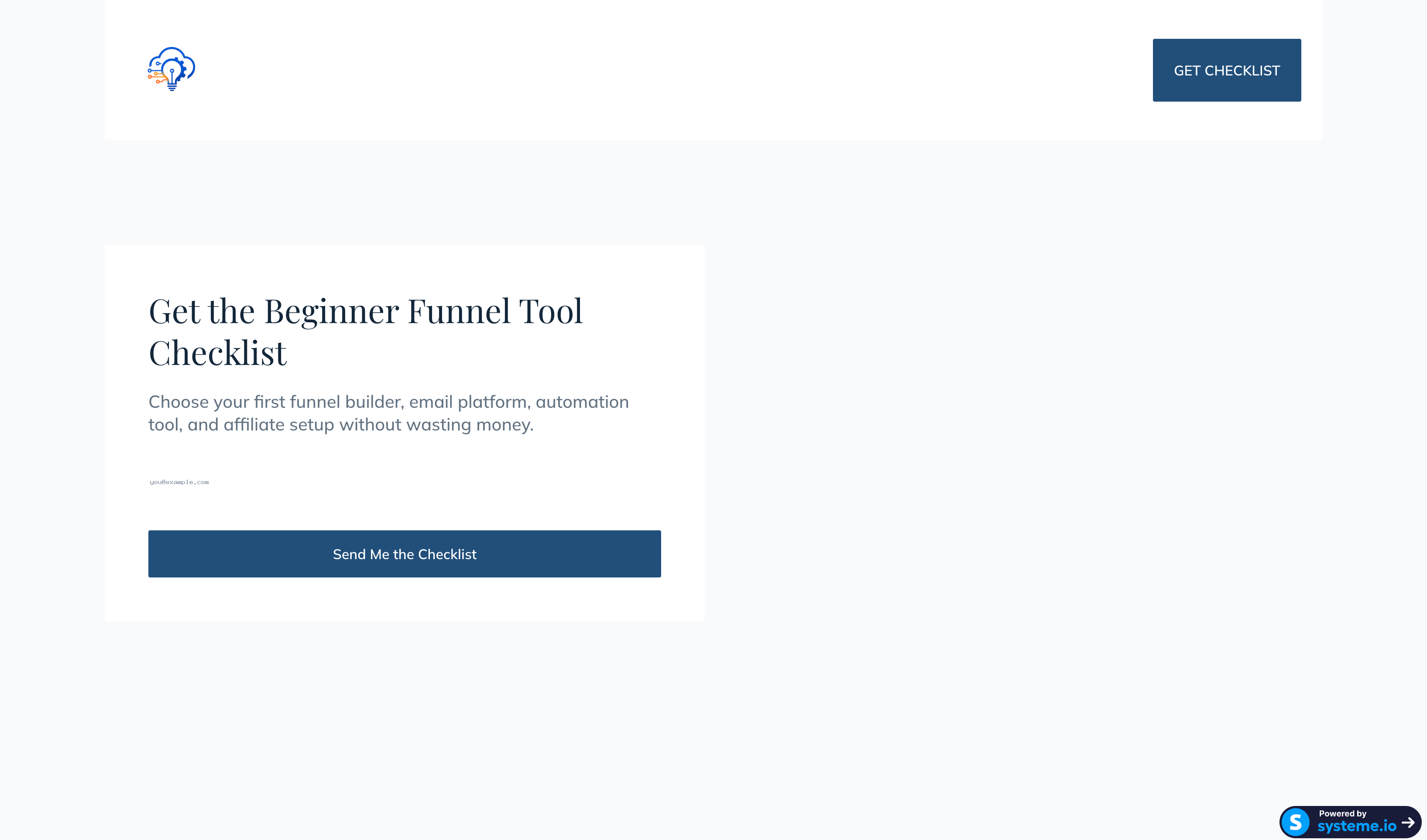
Open the opt-in step in the drag-and-drop editor. Add a clear headline, one short line about the freebie, an email field, and a button (e.g. “Send me the checklist”). Keep it simple — one offer, one button.
Edit the thank-you page
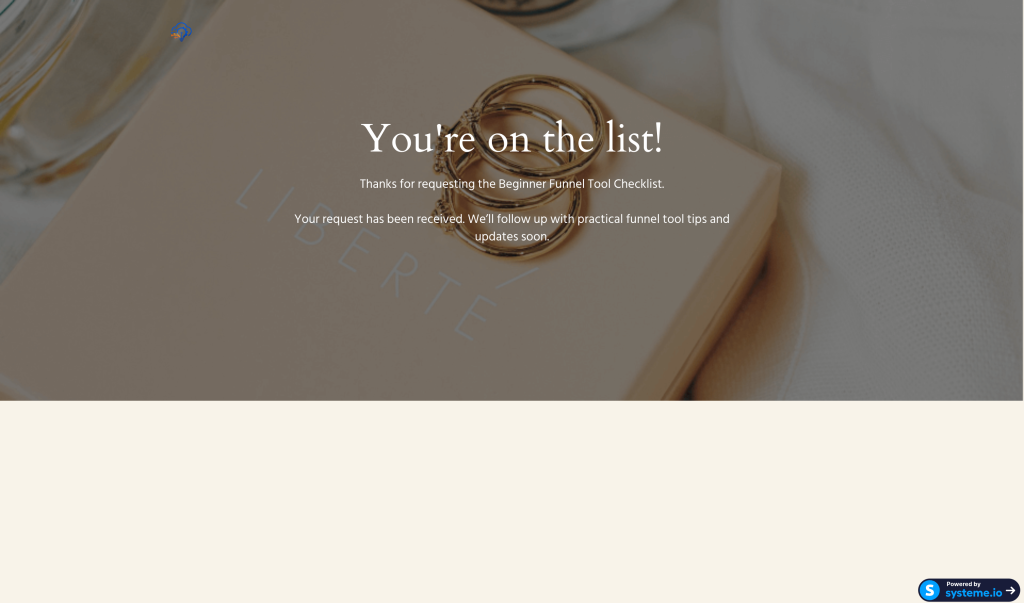
This is the page people see right after signing up. Confirm their request (“You’re on the list!”) and give them the freebie or the next step. Systeme.io created this page for you — just edit the wording and the download link.
Connect your email so the freebie sends
In the opt-in form settings, point new signups to a subscriber group, and set the thank-you page to deliver (or link to) the freebie. Systeme.io includes email on the free plan, so you can send a simple welcome email without another tool. Note: building the page and setting up email delivery are two separate steps — the template alone doesn’t send anything.
Publish and share your funnel
Hit publish and Systeme.io gives you a live link on its domain (a custom domain is available on the free plan if you want one). Share that opt-in link anywhere — your bio, posts, or emails — and you have a working free funnel.
Is it really free?
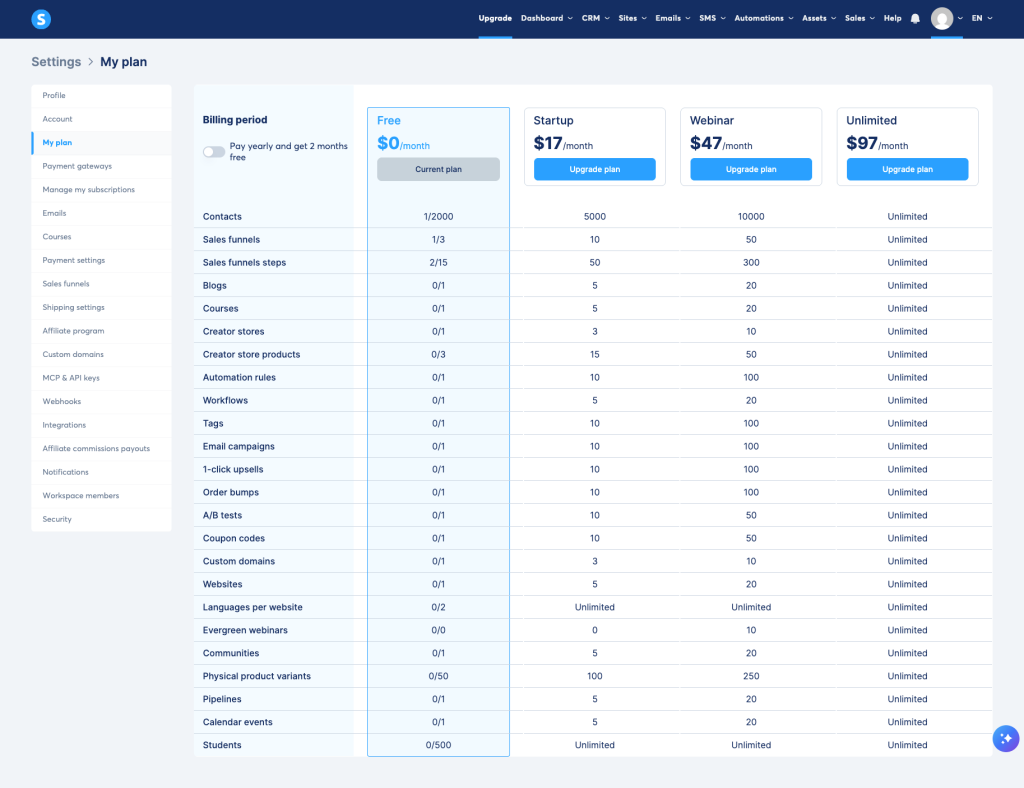
Yes — Systeme.io has a genuine free-forever plan (not a 14-day trial). It’s enough to run this exact funnel: contacts, funnels, emails, and even one custom domain are included. You only pay if you outgrow the free limits. Here’s the plan as it appeared in my account:
Build your first funnel free on Systeme.io
Create a free account (no card) and follow the 6 steps above. It’s the tool I tested for this guide.
Start free with Systeme.io →What I tested — and what I didn’t
- Creating the free account (no card)
- Building the opt-in + thank-you pages
- The free-plan limits in-app
- Full email automation sequences
- Selling a product / checkout
- Custom-domain connection
Want the full breakdown of where the free plan shines and where it runs out? Read my hands-on Systeme.io review, or see how it fits the rest of your setup in the beginner funnel tool stack.
Quick FAQ
Do I need a website first?
No. The funnel pages are hosted by Systeme.io, so you can launch without a separate website.
Can I really keep it free?
Yes, for this lead-magnet funnel. You’d only upgrade if you need more contacts, funnels, or advanced automation.
Is this beginner-friendly?
Very. The editor is drag-and-drop and the funnel steps are created for you — the main effort is writing your offer and cleaning up the template.
Free AI Funnel Builder Starter Checklist
Get the simple checklist to plan your first funnel with AI tools, email capture, and beginner-friendly steps.
Download Free Checklist